
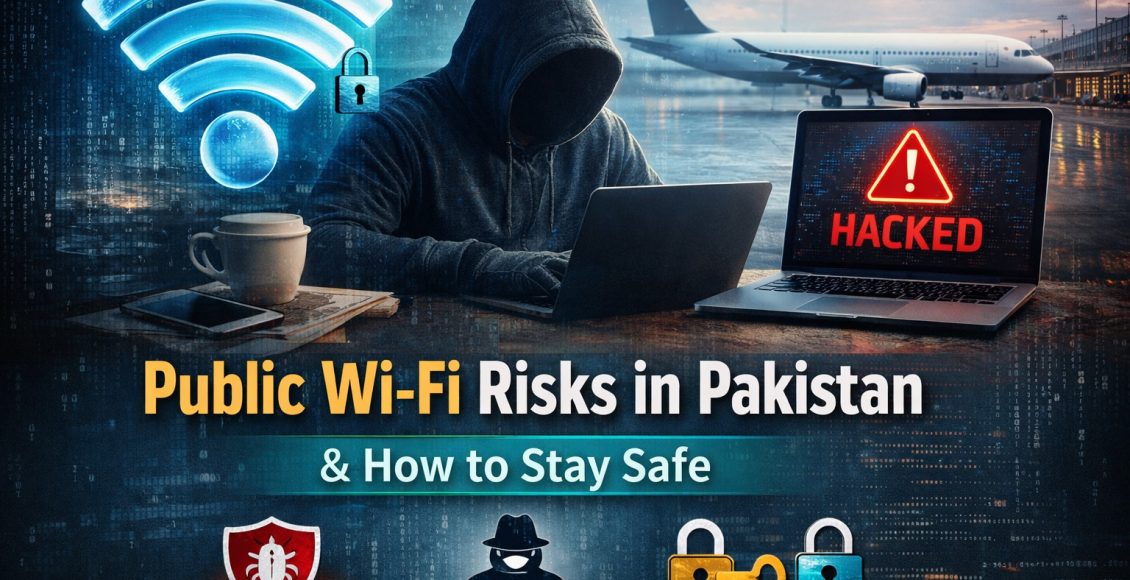
پبلک وائی فائی کے خطرات اور محفوظ استعمال کے مؤثر طریقے
پبلک مقامات پر جسے دیکھو فری وائی فائی استعمال کرنے کی کوشش میں ہوتا ہے،لیکن کیا آپ جانتے ہیں کہ اس سے آپ کو خطرہ بھی ہو سکتا ہے۔
آج کے ڈیجیٹل دور میں جب انٹرنیٹ ہماری زندگی کا لازمی حصہ بن چکا ہے۔ ہم کیفے، ایئرپورٹس، یونیورسٹیوں اور شاپنگ مالز میں اکثر **Public Wi-Fi** استعمال کرتے ہیں تاکہ اپنے کام جلدی اور آسانی سے مکمل کر سکیں۔ لیکن جہاں یہ سہولت فراہم کرتا ہے، وہیں اس کے ساتھ کئی سنگین سیکیورٹی خطرات بھی جڑے ہوتے ہیں۔
پاکستان میں ڈیجیٹل استعمال بڑھنے کے ساتھ ساتھ پبلک وائی فائی کے ذریعے ہونے والے سائبر حملوں میں بھی اضافہ دیکھا گیا ہے۔ اس آرٹیکل میں ہم پبلک وائی فائی کے بڑے خطرات اور ان سے محفوظ رہنے کے مؤثر طریقوں پر تفصیل سے بات کریں گے۔
پبلک وائی فائی کیا ہوتا ہے؟
پبلک وائی فائی وہ انٹرنیٹ کنکشن ہوتا ہے جو عوام کے لیے مفت یا محدود قیمت پر دستیاب ہوتا ہے، جیسے:
* کیفے (Cafés)
* ایئرپورٹس
* ہوٹلز
* تعلیمی ادارے
* شاپنگ مالز
یہ نیٹ ورک عموماً **کم سیکیورٹی** کے حامل ہوتے ہیں، جس کی وجہ سے یہ ہیکرز کے لیے آسان ہدف بن جاتے ہیں۔
More Read:
جعلی پروفائلز کے ذریعے کردار کشی: ڈیجیٹل دور کا نیا اور خطرناک ہتھیار
پبلک وائی فائی کے بڑے خطرات
Man-in-the-Middle (MITM) حملہ
یہ سب سے عام اور خطرناک سائبر حملہ ہے۔ اس میں ہیکر آپ کے اور انٹرنیٹ کے درمیان بیٹھ کر آپ کا ڈیٹا چوری کرتا ہے۔
مثال کے طور پرآپ کسی کیفے میں بیٹھ کر اپنے بینک اکاؤنٹ میں لاگ ان ہوتے ہیں، اور ہیکر آپ کی login معلومات حاصل کر لیتا ہے۔
اس سے آپ کو کئی خطرات ہیں جیسا کہ
* بینکنگ ڈیٹا چوری
* پاسورڈز لیک ہونا
* ذاتی معلومات کا غلط استعمال
Fake Wi-Fi Networks (جعلی نیٹ ورک)
ہیکرز جعلی Wi-Fi نیٹ ورک بناتے ہیں، جیسے:
“Free Airport WiFi”
“Cafe Guest WiFi”
آپ جب اس سے connect ہوتے ہیں، تو وہ آپ کا سارا ڈیٹا access کر لیتے ہیں۔
Malware Injection
پبلک وائی فائی کے ذریعے ہیکرز آپ کے ڈیوائس میں malware بھیج سکتے ہیں۔
اس سے کئی خطرات ہو سکتے ہیں جیسا کہ
* موبائل یا لیپ ٹاپ ہیک
* ڈیٹا کرپٹ ہونا
* spyware انسٹال ہونا
Session Hijacking
اگر آپ کسی ویب سائٹ میں login ہیں، تو ہیکر آپ کا session hijack کر سکتا ہے۔
یعنی وہ آپ کے اکاؤنٹ میں بغیر پاسورڈ کے داخل ہو سکتا ہے۔
Unencrypted Networks
بہت سے public Wi-Fi نیٹ ورکس encrypted نہیں ہوتے، جس کی وجہ سے:
* ڈیٹا plain text میں transmit ہوتا ہے
* ہیکرز آسانی سے intercept کر سکتے ہیں
پبلک وائی فائی کو محفوظ طریقے سے کیسے استعمال کریں؟
✅ VPN استعمال کریں
VPN (Virtual Private Network) آپ کے ڈیٹا کو encrypt کرتا ہے، جس سے ہیکرز اسے نہیں پڑھ سکتے۔
یہ سب سے مؤثر حفاظتی طریقہ ہے۔
✅ HTTPS ویب سائٹس استعمال کریں
ہمیشہ check کریں کہ ویب سائٹ کا URL:
**https://** سے شروع ہو
یہ encryption کو ظاہر کرتا ہے۔
You Can Read:
ٹیکنالوجی کے دور میں ذمہ داری، آزادی اور احتساب
✅ Sensitive کام avoid کریں
پبلک وائی فائی پر کبھی بھی:
❌ آن لائن بینکنگ
❌ payment transactions
❌ اہم لاگ ان
نہ کریں۔
✅ Auto-connect بند کریں
آپ کے موبائل یا لیپ ٹاپ میں auto-connect option بند ہونا چاہیے تاکہ آپ کسی unknown network سے خودکار طور پر connect نہ ہوں۔
[✅ Strong Passwords استعمال کریں
اگر آپ کا اکاؤنٹ ہیک ہو بھی جائے، تو strong password اسے محفوظ رکھ سکتا ہے۔
✅ Software اور Apps اپڈیٹ رکھیں
اپڈیٹس میں اکثر سیکیورٹی patches شامل ہوتے ہیں جو vulnerabilities کو ختم کرتے ہیں۔
✅ File Sharing بند رکھیں
Public Wi-Fi پر file sharing enable ہونے سے ہیکرز آپ کے ڈیوائس تک رسائی حاصل کر سکتے ہیں۔
Two-Factor Authentication (2FA) استعمال کریں
یہ ایک اضافی سیکیورٹی layer فراہم کرتا ہے، جس سے آپ کے اکاؤنٹس مزید محفوظ ہو جاتے ہیں۔
پاکستان میں پبلک وائی فائی کے استعمال کی حقیقت
پاکستان میں فری Wi-Fi کی سہولت بڑھ رہی ہے، لیکن awareness کم ہے۔ بہت سے صارفین بغیر کسی احتیاط کے پبلک نیٹ ورک استعمال کرتے ہیں، جس سے وہ آسانی سے سائبر جرائم کا شکار بن سکتے ہیں۔
# ایک سادہ اصول یاد رکھیں
“اگر Wi-Fi مفت ہے، تو ممکن ہے آپ خود پروڈکٹ ہوں”
FAQs (اکثر پوچھے جانے والے سوالات)
سوال 1: کیا پبلک وائی فائی استعمال کرنا خطرناک ہے؟
جواب: جی ہاں، اگر احتیاط نہ کی جائے تو یہ خطرناک ہو سکتا ہے کیونکہ ہیکرز آسانی سے آپ کا ڈیٹا چوری کر سکتے ہیں۔
سوال 2: VPN کیا واقعی ضروری ہے؟
جواب: جی ہاں، VPN آپ کے ڈیٹا کو encrypt کرتا ہے اور پبلک نیٹ ورک پر آپ کو زیادہ محفوظ بناتا ہے۔
= سوال 3: کیسے پہچانیں کہ Wi-Fi جعلی ہے؟
جواب:
* نام مشکوک ہو
* بار بار disconnect ہو
* login page غیر معمولی ہو
سوال 4: کیا HTTPS ویب سائٹس مکمل محفوظ ہوتی ہیں؟
جواب: HTTPS سیکیورٹی فراہم کرتا ہے، لیکن پھر بھی مکمل حفاظت کے لیے دیگر اقدامات ضروری ہیں۔
سوال 5: کیا موبائل ڈیٹا Wi-Fi سے زیادہ محفوظ ہے؟
جواب: جی ہاں، موبائل ڈیٹا عام طور پر public Wi-Fi سے زیادہ محفوظ ہوتا ہے۔
سوال 6: کیا پبلک Wi-Fi پر WhatsApp یا Facebook استعمال کرنا محفوظ ہے؟
جواب: عام استعمال ٹھیک ہے، لیکن login یا sensitive معلومات شیئر کرنے سے گریز کریں۔
سوال 7: اگر میرا ڈیٹا ہیک ہو جائے تو کیا کرنا چاہیے؟
جواب:
* فوری پاسورڈ تبدیل کریں
* اکاؤنٹس secure کریں
* FIA Cyber Crime کو رپورٹ کریں
نتیجہ
پبلک وائی فائی ایک آسان سہولت ہے، لیکن اس کے خطرات کو نظر انداز نہیں کیا جا سکتا۔ تھوڑی سی احتیاط اور درست اقدامات آپ کو بڑے نقصان سے بچا سکتے ہیں۔
یاد رکھیں:
**“آن لائن سیکیورٹی آپ کی اپنی ذمہ داری ہے”**
Public Wi-Fi Risks in Pakistan — And How to Stay Safe in a Connected World
Walk into any café, airport, university, or shopping mall in Pakistan today, and you will see one common behaviour: people instantly searching for free Wi-Fi. It has become almost instinctive. Connectivity is no longer a luxury — it is a necessity.
But here’s the uncomfortable truth: that “free” internet access may come at a hidden cost — your security.
As Pakistan rapidly embraces digital transformation, the use of public Wi-Fi networks is increasing. At the same time, cyber threats linked to these open networks are also rising. Most users remain unaware of how vulnerable they become the moment they connect to an unsecured network.
This article explains the real risks of public Wi-Fi in Pakistan and offers practical ways to stay safe in an increasingly connected digital environment.
What Is Public Wi-Fi — And Why Is It Risky?
Public Wi-Fi refers to internet connections that are freely or publicly accessible in places such as cafés, airports, hotels, universities, and shopping malls. These networks are built for convenience, not necessarily for protection.
Unlike private home or office connections, public Wi-Fi often lacks strong encryption and security controls. That makes it easier for cybercriminals to monitor traffic, intercept data, or trick users into joining unsafe networks.
In simple terms, when you connect to public Wi-Fi, you may also be entering a digital space where your information is far more exposed than you realize.
The Biggest Public Wi-Fi Threats You Should Know
1. Man-in-the-Middle (MITM) Attacks
This is one of the most dangerous and common cyber threats. In a MITM attack, a hacker secretly places themselves between your device and the internet connection. As a result, the data you send and receive can be intercepted without your knowledge.
For example, if you sign in to your online banking account while sitting in a café, a cybercriminal on the same unsafe network may capture your login credentials.
Possible risks include:
- Financial theft
- Account takeovers
- Misuse of personal information
2. Fake Wi-Fi Networks
Hackers often create fake public networks with names that look trustworthy, such as “Free Airport WiFi” or “Cafe Guest WiFi.” These networks are designed to attract users who assume they are legitimate.
Once a person connects, the attacker may be able to observe browsing activity, collect passwords, or redirect the user to harmful websites.
The most alarming part is that these fake networks can look almost identical to the real ones.
3. Malware Injection
Public Wi-Fi can also become a pathway for malware. Cybercriminals may exploit weak security settings or vulnerable software to inject malicious files into connected devices.
This can lead to:
- Mobile phone or laptop compromise
- Data corruption
- Spyware installation
- Unauthorized system access
4. Session Hijacking
Even if you do not type your password while connected to public Wi-Fi, you may still be at risk. If you are already logged in to a website or app, a hacker may hijack your active session and gain access to your account.
This means the attacker may be able to enter your account without needing your password at all.
5. Unencrypted Networks
Many public Wi-Fi connections do not use proper encryption. When a network is unencrypted, the data moving between your device and the internet may travel in plain text.
That makes it much easier for an attacker to read intercepted information, including usernames, messages, and browsing details.
Why This Matters More in Pakistan
Pakistan is going through a major digital shift. Mobile banking, e-commerce, freelancing, online education, and social media use are all expanding. As more people rely on internet access in public spaces, the risks attached to unsafe connectivity also increase.
At the same time, digital awareness remains uneven. Many users still connect to public networks without verifying them, ignore browser security warnings, or reuse the same password across multiple platforms. These habits create opportunities for cybercriminals.
In a country where digital convenience is growing faster than cybersecurity awareness, public Wi-Fi safety deserves far more attention than it currently gets.
How to Use Public Wi-Fi Safely
Use a VPN
A VPN, or Virtual Private Network, encrypts your internet connection. That means even if someone intercepts your traffic, they will have a much harder time understanding or using it.
This is one of the most effective ways to improve your security on public Wi-Fi.
Always Look for HTTPS
Before entering any information on a website, check whether the address begins with https://. The extra “s” indicates that the website uses encryption.
It is not a complete security guarantee, but it is still an important basic protection.
Avoid Sensitive Activities
Do not use public Wi-Fi for online banking, payment transactions, or signing in to important work or personal accounts. If the task involves money, identity, or private documents, it is safer to wait until you are on a trusted connection.
Turn Off Auto-Connect
Many smartphones and laptops automatically reconnect to known or open networks. Disable this feature so your device does not join unsafe Wi-Fi without your knowledge.
Use Strong Passwords
Strong and unique passwords reduce the damage if one account is exposed. Avoid simple or repeated passwords. Use a mix of letters, numbers, and symbols.
Keep Your Software Updated
Updates often include important security fixes. Outdated devices and apps are easier to target because they may contain known vulnerabilities.
Disable File Sharing
If file sharing is enabled while you are on a public network, other users may be able to discover your device. Turning it off reduces unnecessary exposure.
Enable Two-Factor Authentication (2FA)
Two-factor authentication adds another layer of protection. Even if your password is stolen, your account is still more difficult to access without the second verification step.
A Simple Rule to Remember
If the Wi-Fi is free, you should never assume the risk is zero. Convenience and security are not the same thing. In the digital world, free access sometimes comes with hidden vulnerabilities.
Conclusion
Public Wi-Fi is convenient, fast, and often unavoidable in modern life. But it also creates silent risks that many people ignore until something goes wrong.
In Pakistan’s growing digital environment, users need to understand that cybersecurity is not only the responsibility of companies or governments. It is also a personal responsibility.
Simple habits — such as using a VPN, avoiding sensitive logins, checking for HTTPS, and keeping devices updated — can significantly reduce your exposure to cyber threats.
In the connected age, awareness is not optional. It is part of staying safe.
FAQs
1. Is public Wi-Fi always dangerous?
Not always, but it is inherently riskier than a private network. The danger depends on how secure the network is and how carefully you use it.
2. Do I really need a VPN on public Wi-Fi?
Yes, a VPN is strongly recommended. It encrypts your internet traffic and makes it much harder for hackers to intercept your data.
3. How can I identify a fake Wi-Fi network?
Watch for duplicate network names, unusual spelling, suspicious login pages, or networks that disconnect frequently. When possible, confirm the correct network name with staff before connecting.
4. Is HTTPS enough to keep me safe?
HTTPS improves security, but it does not remove all risks. You should still avoid sensitive activities and use additional protections such as a VPN and 2FA.
5. Is mobile data safer than public Wi-Fi?
In most cases, yes. Mobile data is generally more secure than public Wi-Fi because it is not openly shared with nearby strangers in the same way.
6. Can I use WhatsApp or Facebook safely on public Wi-Fi?
Basic browsing is usually less risky, but logging in, sending sensitive files, or entering private information should be avoided if possible.
7. What should I do if I think my data was exposed?
Immediately change your passwords, enable two-factor authentication, review recent account activity, and report serious cyber incidents to the relevant authorities.